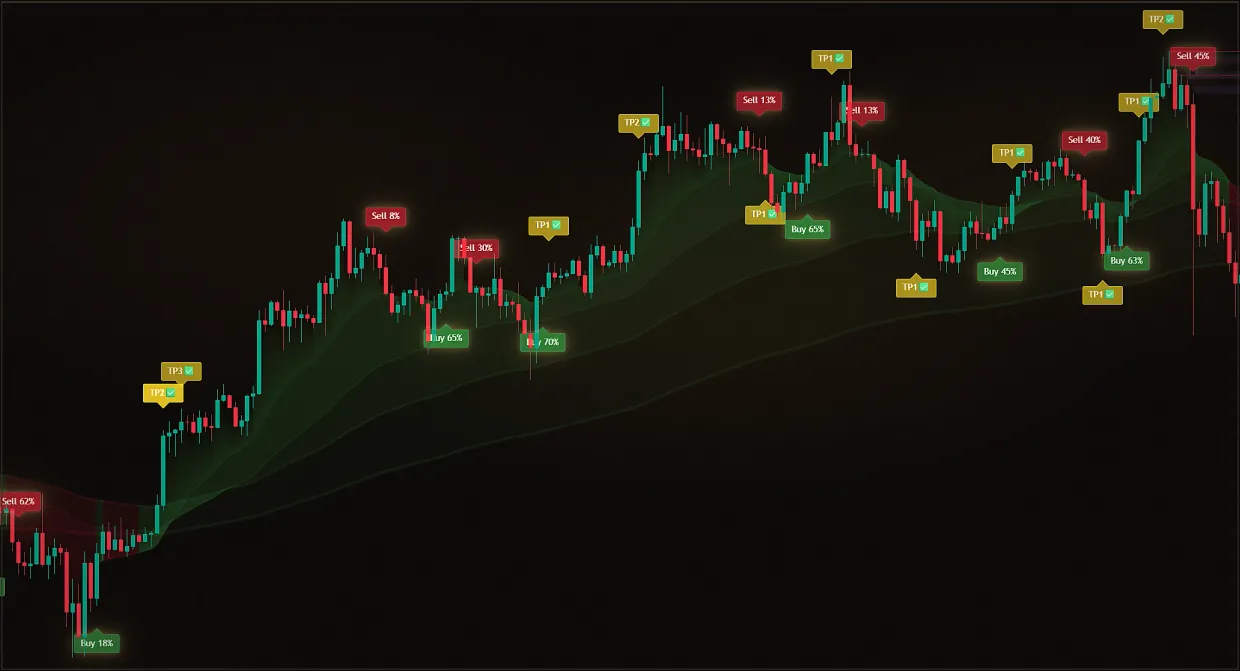
The idea of a strategy is there, and testing it with live money is too expensive.
Real account check
The hypothesis is tested by deposit, and the conclusion is made by a pair of random trades.
History check.
The strategy is run over past data with your entry conditions, stops and exits.
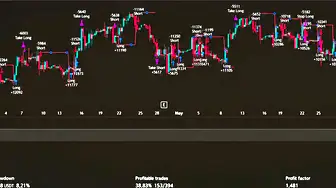
BackTester is not an indicator, but a bot strategy in TradingView. You set your entry and exit logic, then get trades on the chart and the figures: profit and loss, drawdown, the share of profitable trades, profit factor and an equity curve. TradingView calculates these figures itself, so the results are not made up.
The main goal is to remove guesswork. A common experience is to think a strategy works, start trading, then hit a series of stops without knowing whether the market or the logic is responsible. Testing over a long history answers this before you put money at risk, and you can use the best combination to build your own trading bot. BackTester is included in the 12-month plan and is not sold separately.
Updated: · Midas Team
What the backtest produces
You set your logic, and you get:
- Deals are on the chart.
- Profit and loss.
- Drawdown.
- The share of profitable trades (Win Rate).
- Profit factor.
- The equity curve.
- Knowing whether the strategy works or not.
- The ability to run your trading bot and not pay interest to third-party services.
Who BackTester is for
Midas BackTester is needed if you:
- You want to quickly turn trading ideas into a trading algorithm with a bot.
- You are testing ideas by eye and want to move on to numbers.
- You want to know if you have a good strategy or if you are lucky sometimes.
- You want to refine the logic of Midas with your ideas and test it on history.
- You want to test not only Midas, but also other indicators and trading logic.
- You want to build a trading bot on your logic.
What problem BackTester solves
Most traders lose money not because they don't have ideas, but because they don't know how to test those ideas properly -- and they trade chaos.
- I saw a beautiful entrance.
- It seemed that the strategy worked.
- Started trading.
- Got a series of stops.
- I don’t know if it’s the market or the logic.
What BackTester provides
It’s a powerful layer of product: essentially a flexible strategy, tester, and future bot builder right inside TradingView.
Checking any logic on history
You can turn almost any idea into a strategy. BackTester is configured to:
- Direction of trading: Long, Short or both sides.
- Up to six parallel conditions for Long and Short entries.
- Flexible exit conditions according to your rule.
- Take-profit target sizes and count.
- Stops or trailing stops.
- Reversing the position at the opposite signal.
Testing Midas settings
If you are trading on Midas, BackTester allows you to:
- Add your own conditions to the signals.
- Check on the deep history, which signals really give the result.
- See which filters improve the statistics.
- Find where the strategy falls apart.
- Understand which settings are more stable in different markets and timeframes.
How the result looks in practice
Flexible adjustment of strategy logic
Long and Short are defined separately, you can combine signals, filters and entry rules, and up to six conditions are available for each direction, each field has a detailed hint.
Full performance statistics
BackTester does more than mark entries on a chart: it shows the results in numbers - PnL, drawdown, profitable trades, profit factor and the equity curve. TradingView calculates all of these, making the result as reliable as possible.
Which is particularly valuable.
You can test not someone else’s “magic strategy” but your own logic: your rules, your market, your timeframe, your approach, your settings and filters, which is why BackTester is indispensable for those who want to build their algorithms and turn them into algo trading using bots.
How to access BackTester
BackTester is not offered as a separate plan: access is included for everyone who subscribes to Midas for 12 months.
If you already planned to use Midas for a long time - subscribe for the year at the best price and get BackTester bonus.
Quick start: configure a test
Add BackTester to the chart
Open TradingView and add Midas BackTester as strategy, and then it will display trades and statistics on the selected tool.
Choose the direction of trading and reversals
Long, Short or both sides: The option to reverse a position at the opposite signal automatically closes the current trade and opens a new one in the opposite direction.
Strategy block: directions of trade and position reversal Set the conditions for entering Long
Up to six parallel conditions: signals and data of Midas indicators, price, intersections. Combine signals, filters and entry rules.
Long entry conditions: up to six signal sources Set the entry conditions for Short
A separate block of six conditions is the same: short logic is built independently of the long logic.
Short entry conditions: a set of six conditions Connect additional filters
Each filter has a detailed hint in the settings with the recommended sources and values – see it before turning it on.
Additional filters and built-in tip with recommendations Set your stops and goals
A standard fixed stop or a trailing stop, with take-profit and stop-loss sizes expressed as percentages.
Choice of stop type: fixed or trailing Add the exit conditions
Additional conditions of indicators to exit position - separately for Long and Short.
Exit Points: Exit Signals for Long and Short Look at the results in statistics
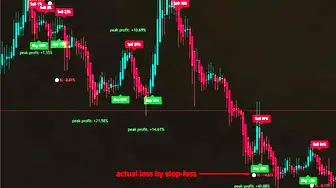
Do not look at profit alone. Check drawdown: a profitable strategy may still be too demanding psychologically or in terms of risk. Make sure the result does not depend on one lucky stretch by testing different periods and instruments. Check whether commissions and poor entries consume the gains; this is especially important on lower timeframes.
How to test a strategy correctly
- Don’t adjust your settings to one beautiful section of the chart.
- Check out different markets and timeframes.
- Compare several versions of logic to each other.
- Look not only at the profit, but also at the drawdown.
- First the test, then the real money.
Did this guide help?
Thank you. Your answer was recorded.
Thank you for your feedback. You can continue in the English-language Midas bot. Open the English bot
The demo includes only Midas Up and Midas Down. The full Midas toolset requires a paid plan.
Test Midas on your own TradingView chart
- Seven days free: Midas Up and Midas Down on your TradingView chart
- No card or prepayment: access is linked to one public TradingView username
- Markets available on TradingView and timeframes from one minute to one month; choose settings for the asset and trading style
No card. No payment. A TradingView username is public; never send a password.
8,400+ Midas indicator installations · 300+ client reviews · active since 2024